
 1v1 LOL
 Astro Robot Clicker
 Bow Battle
 Bucket Smash
 Car Chaos
 City Brawl
 Cowboy Safari
 Crazy Shark
 Curve Rush
 Deer Adventure
 Drift Boss
 Dunk Dash
Fun Typing IO
Type faster, type cleaner, beat the room.
What Is Fun Typing IO?
Fun Typing IO turns the humble keyboard into a competitive sport. Sentences appear on screen, the clock starts, and every player in the room races to reproduce them word for word — capital letters, punctuation, and all. Mistyped characters flash red until you correct them, so sloppy fingers pay an instant price. Few browser games deliver a cleaner loop: see the text, type it perfectly, watch your words-per-minute climb.
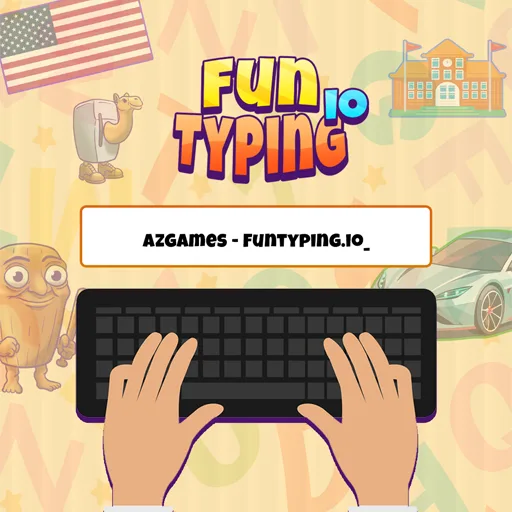
The game runs on two tracks. Multiplayer matches drop you into real-time contests against other players, where a leaderboard updates as the round unfolds and small mistakes decide who tops the table. Training mode strips the pressure away: pick a theme, set a time limit or a number of sentences, and practice at your own pace while the game tracks your WPM and accuracy. Both modes feed the same goal — fingers that fly without tripping.
Because it runs in the browser with nothing to install, Fun Typing IO works as a daily warm-up, a classroom exercise, or a five-minute competition between friends. Words-per-minute is the scoreboard the real world cares about too, so every round of play doubles as practice for schoolwork, emails, and everything else you will ever type. This guide covers the modes, the drills, and the habits that turn slow hunting into confident touch typing.
Key Features of Fun Typing IO
Real-Time Multiplayer Races
Queue into live rooms and type the same sentences against real opponents. Watching rivals progress on the leaderboard mid-round gives Fun Typing IO the spark of a race, and it pushes most players to speeds they never hit practicing alone.
Solo Training Mode
Prefer to improve without the pressure? Training mode lets you choose themes, set the round length, and repeat tricky sentence sets. It is the calmest way to build muscle memory before jumping back into competitive rooms.
Fun Word Themes
Rounds draw from themed categories such as school, cars, flags, emotions, and dialog, or mix them at random. The variety keeps every round feeling fresh and sneaks in vocabulary practice along with the typing drills.
Instant Error Feedback
Mistyped letters turn red the moment you hit the wrong key and stay locked until corrected. The game forces precision instead of letting sloppy passes slide, which is exactly how real typing speed is built.
WPM and Accuracy Tracking
Every round ends with your words-per-minute, accuracy percentage, and leaderboard position. Watching those two numbers climb week over week is the quiet reward that keeps players coming back to Fun Typing IO.
How to Play Fun Typing IO
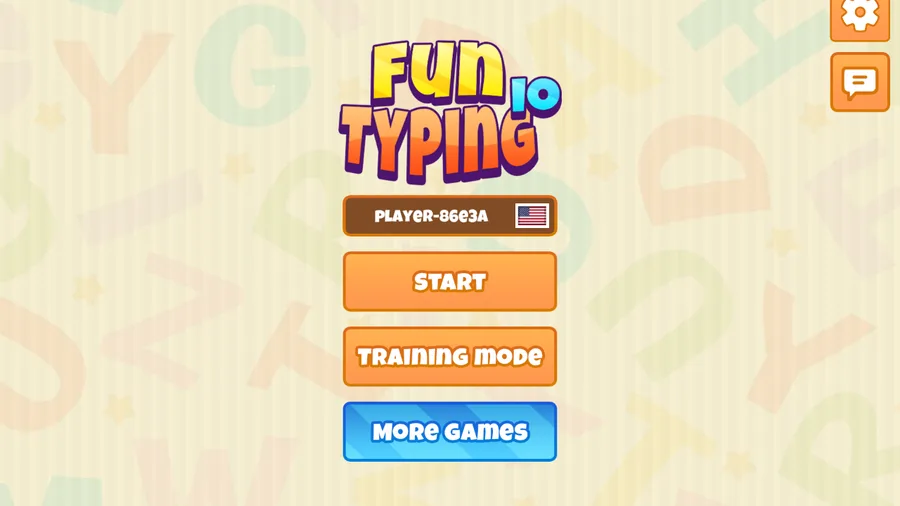
- 1Pick your mode from the main menu: START to join a live multiplayer room, or TRAINING MODE to practice solo with your own theme and time settings.
- 2Choose a theme or category before the round begins, or leave it on random mix. Setting a time limit or a number of sentences shapes how long the round runs.
- 3When the countdown ends, read the sentence on screen and type it exactly — capitalization, spacing, and punctuation all count, so treat the text as a perfect-copy exercise.
- 4Fix mistakes immediately. Wrong characters turn red and block progress until corrected, so a fast but sloppy run scores worse than a slightly slower clean one.
- 5Keep your eyes on the text, not the keyboard. Touch typing — letting your fingers find the keys by feel — is the single biggest speed unlock this game will teach you.
- 6When the timer expires or the final sentence lands, review your WPM, accuracy, and leaderboard position, then queue another round of Fun Typing IO and aim to beat your own numbers.
Fun Typing IO Controls
Fun Typing IO Strategy & Tips
Accuracy First, Speed Second
A clean 45 WPM beats a messy 60 every time here, because every typo costs a correction plus a rhythm break. Slow down just enough to stop the red letters, and your real speed will rise on its own within days.
Learn the Home Row
If you still hunt and peck, spend a few training rounds anchoring your fingers on ASDF and JKL;. The home row is the foundation of touch typing, and even a week of disciplined practice in training mode shows up in your WPM.
Type Chunks, Not Letters
Skilled players read a word or short phrase ahead, then type it as one motion. Practice keeping your eyes one word ahead of your fingers — it smooths your rhythm and removes the stop-and-start lag that costs close races.
Warm Up Before Racing
Run one solo training round before entering multiplayer rooms. Ten calm sentences loosen your fingers, settle your posture, and mean you enter the live room already at pace instead of spending the first race warming up.
Mind Your Posture
Wrists floating, feet flat, screen at eye level. Fatigue is the silent killer of long typing sessions, and a comfortable setup keeps your accuracy steady from the first sentence of a round to the last.
Why Players Love Fun Typing IO?
- ★
My WPM Actually Went Up
Two weeks of lunch-break rounds and my typing speed jumped from 41 to 58. The instant red-letter feedback trains you better than any typing app I have tried.
- ★
Racing Strangers Is Weirdly Thrilling
Watching someone edge ahead of me on the leaderboard makes me type faster than I thought I could. It turns practice into a genuine competition.
- ★
The Themes Keep It Fun
Typing random sentences about cars and school sounds small, but it keeps my brain engaged. Monkeytype bores me now; Fun Typing IO never repeats enough to get stale.
- ★
Great for My Students
I use the training mode as a classroom warm-up. The kids see it as a game, I see the accuracy numbers climbing. Everybody wins.
- ★
Zero Friction
No account, no download, no ads interrupting mid-sentence. Open the tab and I am typing within ten seconds. Perfect for a quick break.
Fun Typing IO FAQs
Is Fun Typing IO free to play?+
Yes, it is completely free in your browser with no download or account required. Multiplayer rooms, training mode, and all word themes are open to every player from the first click.
How is my typing speed measured?+
The game tracks words-per-minute using the standard measure of five characters per word, plus an accuracy percentage based on corrected errors. Both appear at the end of every round alongside your leaderboard position.
Can I play Fun Typing IO on mobile?+
You can open it on a phone or tablet, but the game is built around a physical keyboard, so typing on a touchscreen will not reflect your real speed. A laptop or desktop keyboard gives the true experience.
Do I have to play against other people?+
No. Training mode gives you the full experience solo: pick themes, set the time limit or sentence count, and practice privately. Multiplayer is there when you want the pressure of a live race.
Why do my letters turn red?+
Red marks a mistyped character that must be corrected before the sentence continues. This enforces accuracy — the game scores clean runs higher than fast but sloppy ones, exactly like professional typing tests.
What is a good typing speed to aim for?+
The average typist lands around 40 WPM. Reaching 60 with high accuracy puts you ahead of most players, and consistent daily rounds in Fun Typing IO are a realistic way to get there within a few weeks.
Fun Typing IO proves that practice does not have to feel like homework. Real-time races, themed sentence sets, and honest WPM tracking turn keyboard drill into something you actually want to open on a break. Warm up in training, queue into a room, and let the red letters teach your fingers faster than any app ever did.
More Games
 Traffic Road
 Escape Road
 Escape Road 2
 Escape Road 3
 Moto X3M
 Drift Hunters
 Slope
 Tap Road
 Run 3
 Snow Rider 3D
 Smash Karts
 Block Blast 3D
 Suika Game
 Basketball Stars
 Sprunki
 Crossy Road1v1 LOLAstro Robot ClickerBow BattleBucket Smash